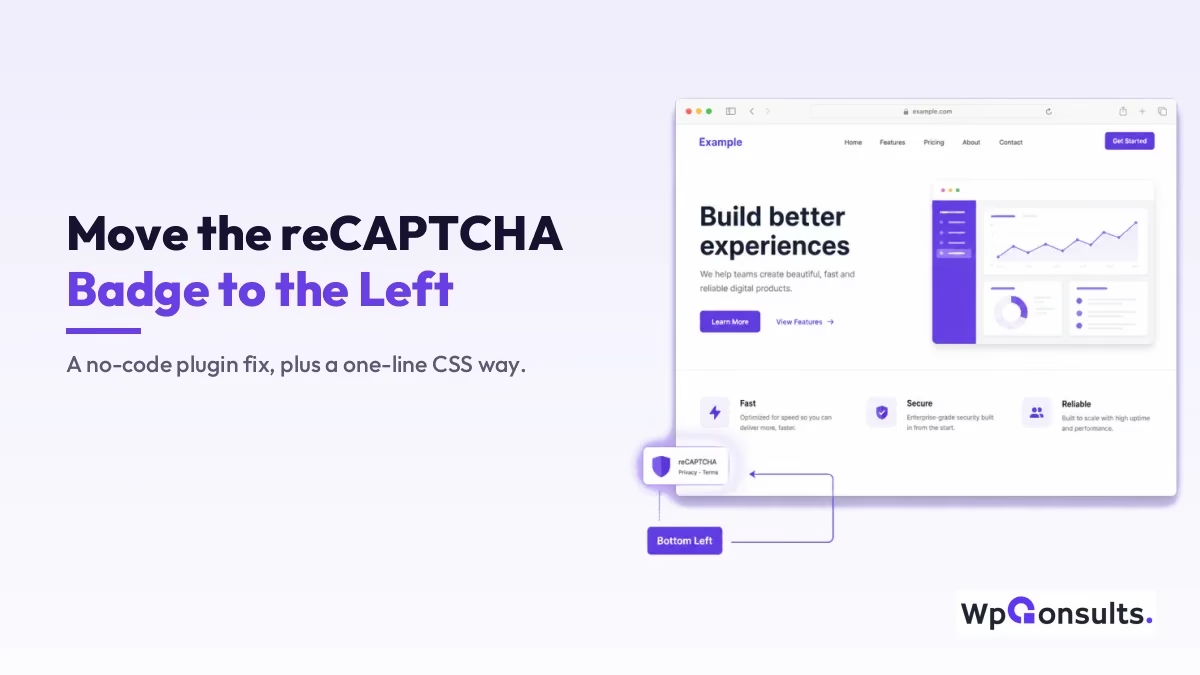
Google reCAPTCHA v3 drops its little badge in the bottom-right corner of every page, and that is exactly where most live chat widgets, back-to-top buttons, and cookie bars also want to sit. The good news is the badge is just a fixed-position element, so moving it to the left is easy and it does not weaken the spam protection at all.
I will show you two ways to move the reCAPTCHA V3 badge to the left: a no-code plugin for people who want a settings panel, and a one-line CSS fix for people who would rather not add another plugin. Both work; I will tell you which one I actually use and why.
Key Takeaways
- The reCAPTCHA v3 badge is a fixed-position element Google injects; moving it changes nothing about how the protection scores visitors.
- The BadgeShift for reCAPTCHA plugin flips the badge to the left from a settings panel, with no code.
- Three lines of CSS targeting
.grecaptcha-badgedo the same thing without adding a plugin, which is the route I prefer. - You may hide the badge only if you keep Google’s required attribution text on the page; remove it and you are breaking their terms.
- Clear your cache after the change, or you will swear it did not work when it actually did.
Why the badge sits bottom-right in the first place
When you load reCAPTCHA v3 through a form plugin like Contact Form 7, Fluent Forms, or Gravity Forms, Google’s script adds the badge as a position: fixed element pinned to the bottom-right of the viewport. It is not part of your theme, so your theme settings cannot touch it directly; you are styling something Google dropped onto the page after it rendered.
That fixed corner is crowded real estate. A support chat bubble, a back-to-top or go-back button, or a sticky discount bar will all fight the badge for the same spot, and on mobile the overlap can hide a tap target completely. Moving the badge to the left is usually the cleanest fix, because it keeps the badge visible (which Google wants) while clearing the corner your other widgets need.
Move it with the BadgeShift plugin (no code)
If you would rather not touch any code, the BadgeShift for reCAPTCHA plugin handles the move from a simple settings screen. It is a small, single-purpose plugin, so it does not bloat your site the way a do-everything plugin would.
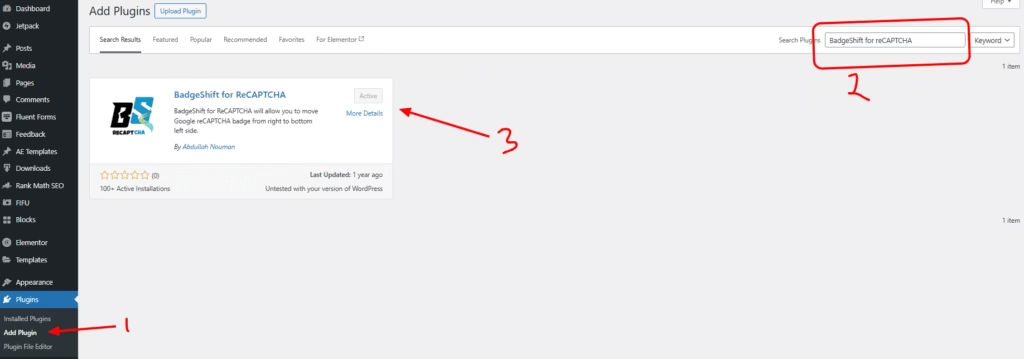
From your dashboard, go to Plugins > Add New, search for “BadgeShift for reCAPTCHA”, then install and activate it. Once it is active, open Settings > BadgeShift, choose Left under Badge Position, and save. If you need to nudge it, the horizontal and vertical offset fields let you set the exact distance from the bottom and left edges.
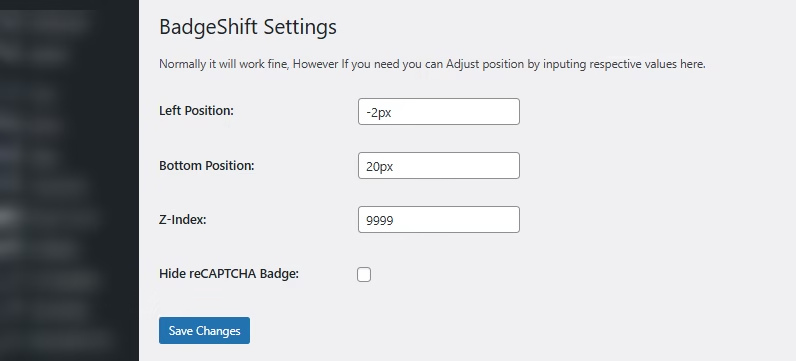
That is the whole job. The badge now sits in the bottom-left corner, and you never opened a code editor. For most people who only ever need this one tweak, the plugin is honestly the safer choice because the settings survive theme changes and you cannot fat-finger a selector.
Move it with one block of CSS (what I actually use)
If you are comfortable pasting a few lines of CSS, you do not need a plugin at all. Add this to Appearance > Customize > Additional CSS, or to your child theme’s stylesheet:
.grecaptcha-badge {
    left: 4px !important;
    right: auto !important;
}
The right: auto line matters as much as the left one, because Google pins the badge from the right by default; if you only set left without releasing right, the badge can end up stretched across the screen. The !important flags are there because Google’s own inline styles are specific, and without them your rule quietly loses. This is the same kind of targeted override I use when I customize a WordPress login page by hand, where you are styling markup you do not control.
I lean on the CSS route on client sites because it is one less plugin to update, audit, and worry about, and the badge position is not something I will ever need a settings panel to change again. If a site already runs a forms or security plugin that includes a badge-position option, I just use that instead of adding anything new.
Should you hide the badge instead of moving it?
This is where people get themselves into trouble. Google’s terms do let you hide the badge, but only if you add a clear attribution line wherever reCAPTCHA runs, something like “This site is protected by reCAPTCHA and the Google Privacy Policy and Terms of Service apply,” with both links live. The official rule is spelled out in Google’s reCAPTCHA FAQ, and it is worth reading before you hide anything.
If you do want it gone rather than just relocated, I walk through the compliant way to do that in my guide on hiding the reCAPTCHA badge from a WordPress site. For most sites though, moving it to the left gives you the clean corner you wanted without any of the attribution homework, which is why I treat hiding as the last resort, not the first move.
Badge still not moving? Check these
Nine times out of ten it is caching. If you run a caching plugin or a CDN, the old stylesheet is still being served, so clear both your site cache and your browser cache and look again. If the badge still ignores you, your theme or another plugin may be loading its own badge styles after yours, in which case the CSS above (with the !important flags) usually wins; if it does not, your selector is being overridden and you can raise specificity or load the rule later. And if the badge is missing entirely rather than misplaced, the issue is upstream: reCAPTCHA v3 is not firing on that form or page yet, so fix the integration first, then worry about position.
So, plugin or CSS for moving the badge?
If this were my site, I would reach for the three lines of CSS, because the position is a set-and-forget change and I would rather not carry another plugin just to hold one rule. That said, I do not think the plugin is the wrong call; for someone who avoids code and wants a panel they can revisit, BadgeShift is a clean, single-purpose tool that does exactly what it says, and the settings stick around even if you switch themes.
Either way, the rule to remember is the one that keeps you out of trouble: move the badge freely, but only ever hide it if you put Google’s attribution text back on the page.
Update Logs
27 Jun 2026
- Added a second, no-plugin method (a short CSS snippet) alongside the BadgeShift route, and clarified Google’s rule that the badge can only be hidden if you keep the required attribution text.
Want our posts to show up more often on Google?
One step & Google will surface this site in your Top Stories.