Every SEO guide assumes you already speak the language, which is exactly why beginners bounce off them. This glossary explains 100 SEO terms in plain English, grouped into ten areas, and where the industry repeats a myth (LSI keywords, keyword density targets), I will tell you straight instead of repeating it.
Key Takeaways
- SEO vocabulary splits into ten working areas: on-page, off-page, technical, local, keywords, analytics, content, algorithm and SERP features, eCommerce, and AI search.
- Some famous terms are myths: LSI keywords do not exist, and there is no ideal keyword density percentage to chase.
- You do not need all 100 terms on day one; title tags, backlinks, crawling, indexing, and search intent carry most beginner conversations.
- The newest section (AI Overviews, GEO, entities) is where search is moving, so skim it even as a beginner.
Here is the map before we start, so you can jump to the area you are actually stuck on.
| Terms | Area | What it covers |
|---|---|---|
| 1-10 | On-Page SEO | What you control on the page itself |
| 11-20 | Off-Page SEO | Links and signals from other sites |
| 21-30 | Technical SEO | How Google reaches and reads your site |
| 31-40 | Local SEO | Ranking where your customers physically are |
| 41-50 | Keyword Research | Finding what people actually search |
| 51-60 | Analytics and Monitoring | Measuring whether any of it works |
| 61-70 | Content Marketing | Planning and maintaining what you publish |
| 71-80 | Algorithm and SERP Features | How Google updates and displays results |
| 81-90 | eCommerce SEO | Terms specific to online stores |
| 91-100 | AI and Modern Search | Where search is heading right now |
On-Page SEO terms (1-10)
1. Title Tag
The HTML title of a page, shown as the clickable headline in search results. It is one of the strongest signals you directly control, so put the topic near the front and keep it honest.
2. Meta Description
The short summary under your title in search results. It is not a ranking factor, but it decides whether people click, and Google rewrites it when yours does not match the query.
3. Header Tags (H1, H2, H3)
The heading structure of a page: one H1 for the main title, H2s for sections, H3s for sub-points. They help both readers and Google understand how your content is organized.
4. URL Slug
The part of the address after your domain, like /seo-terms/. Short, readable, keyword-relevant slugs beat long machine-generated ones, and changing them later needs redirects, so choose well once.
5. Keyword Density
The percentage of times a keyword appears in your text. Here is the honest part: there is no magic percentage to hit, and writing to a density target usually makes content worse. Cover the topic naturally and this metric takes care of itself.
6. Duplicate Content
The same or nearly identical content reachable at more than one URL. It rarely triggers a penalty, but it splits your signals across copies and lets the wrong version rank.
7. Image Optimization
Compressing images, sizing them correctly, and using modern formats like WebP so they load fast. Heavy images are the most common reason otherwise fine pages feel slow.
8. Canonical URL
A tag that tells Google which version of a page is the “real” one when several URLs show the same content. Getting this wrong causes confusing indexing problems, like the canonical-not-in-property error in Search Console.
9. Alt Text
A written description of an image in the HTML. It exists first for accessibility (screen readers), and second it helps Google understand what the image shows, which feeds image search.
10. Internal Links
Links from one page of your site to another. They pass authority between your pages, guide visitors deeper, and show Google which pages you consider important. Most sites underuse them badly.
Off-Page SEO terms (11-20)
11. Backlinks
Links from other websites to yours. They work like votes of confidence and remain one of the strongest ranking signals, passing what SEOs informally call link juice to your pages.
12. Link Building
The deliberate work of earning backlinks: publishing things worth citing, outreach, digital PR, partnerships. Quality beats volume; one relevant editorial link outweighs dozens of junk directory entries.
13. Anchor Text
The clickable words of a link. Descriptive anchors (“WordPress hosting comparison”) tell Google what the target page is about; a wall of “click here” anchors tells it nothing.
14. Nofollow and Sponsored Links
Link attributes that tell Google not to treat a link as an endorsement: rel=”nofollow” for general cases, rel=”sponsored” for paid links, rel=”ugc” for user-generated content. Paid links must carry these to stay within Google’s rules.
15. Guest Posting
Writing an article for someone else’s site, usually with a link back to yours. Done for relevant audiences it builds authority; done at scale purely for links, it is a scheme Google actively devalues.
16. Digital PR
Earning coverage and links from journalists and publications with newsworthy content: original data, expert commentary, strong stories. It is the modern, durable face of link building.
17. Brand Mentions
Places where your brand is named without a link. They matter for how Google (and now AI assistants) understand your brand as an entity, even though they pass no direct link value.
18. Social Signals
Likes, shares, and engagement on social media. Google has said these are not a direct ranking factor; their real value is distribution, which puts content in front of people who might link to it.
19. Directory Submission
Listing your site in web directories. As a general link tactic it is long dead; the exception is genuine, relevant directories (industry bodies, local chambers) where a listing has real-world value.
20. Domain Authority
A third-party score (Moz’s DA, Ahrefs’ DR) estimating how strong a site’s link profile is. Useful for quick comparisons, but remember Google does not use these scores; they are estimates by tool vendors, not ranking inputs.
Technical SEO terms (21-30)
21. XML Sitemap
A machine-readable list of your site’s URLs that helps search engines find your pages. Your SEO plugin generates it automatically; you submit it once in Search Console and keep it healthy.
22. Robots.txt
A small file at yoursite.com/robots.txt that tells crawlers which parts of the site not to crawl. One careless line here can block your whole site from Google, so edit it with respect.
23. Crawling
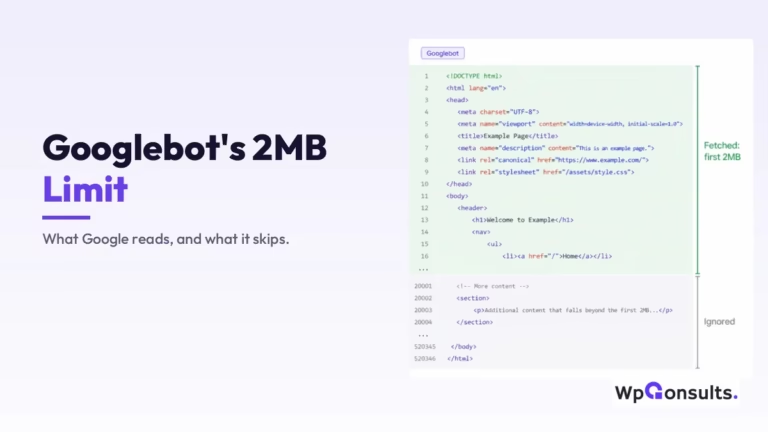
How search engines discover pages: automated bots (Googlebot) follow links and fetch pages to read them. Google explains the whole pipeline in its Search documentation, and it is worth one read even as a beginner.
24. Indexing
What happens after crawling: Google processes the page and stores it in its index, the giant database search results are pulled from. A page that is crawled but not indexed cannot rank at all.
25. Crawl Budget
The amount of crawling attention Google gives your site. Small sites almost never need to think about it; it becomes real on large sites with many thousands of URLs, as I covered in finding your crawl budget.
26. Page Speed
How fast your pages load and respond. It affects rankings modestly and conversions heavily, because visitors abandon slow pages long before Google penalises them.
27. Core Web Vitals
Google’s three user-experience metrics: LCP (loading), INP (responsiveness), and CLS (visual stability), documented at web.dev. I walk through the practical side in how to pass Core Web Vitals.
28. Mobile-First Indexing
Google indexes and ranks your site based on its mobile version, not desktop. If content or links exist only on desktop, Google effectively does not see them.
29. HTTPS and SSL
The encryption layer that makes your site load over https://. It is a lightweight ranking signal and a hard trust requirement; browsers flag plain http sites as “not secure”.
30. Redirects (301 and 302)
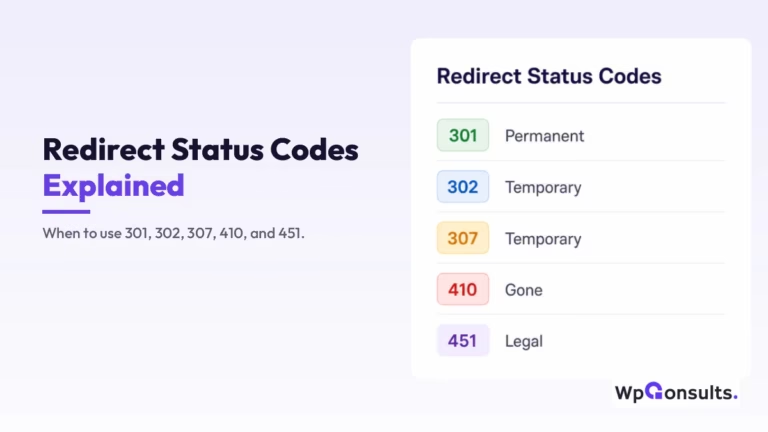
Instructions that send visitors and crawlers from one URL to another: 301 means moved permanently, 302 means temporarily. Using the wrong one is a classic mistake, which is why I wrote up the real use cases for 301 and 302 redirects.
Local SEO terms (31-40)
31. Google Business Profile
Your business listing on Google Search and Maps, formerly called Google My Business. For a local business it is the single highest-leverage SEO asset, often above the website itself.
32. NAP (Name, Address, Phone)
Your business’s core contact details. Keeping them identical everywhere they appear online helps Google trust that all those listings describe the same business.
33. Local Citations
Mentions of your business (with NAP details) on other sites: maps services, review platforms, industry directories. Consistent citations support your local visibility; a pile of conflicting ones muddies it.
34. Local Pack (Map Pack)
The map with two or three business listings that appears at the top of local searches. For “near me” queries this block takes most of the clicks, which is why local SEO obsesses over it.
35. Online Reviews
Customer ratings on Google, Yelp, and industry platforms. Review quantity, recency, and your replies all influence local rankings, and they influence humans even more.
36. LocalBusiness Schema
Structured data markup that spells out your business type, address, hours, and service area for machines. It makes your local details unambiguous to Google instead of leaving them to inference.
37. Geo-Targeted Keywords
Search terms that include a place, like “plumber in Leeds”. They convert well because the intent is local and immediate, and they are usually less competitive than the national term.
38. Location Pages
Dedicated pages for each area you serve. They work when each page carries genuinely local content (team, projects, directions, reviews) and fail when they are the same paragraph with the city name swapped.
39. Google Maps Optimization
Improving how your business appears and ranks inside Google Maps: complete profile, right categories, photos, reviews, and accurate pin placement. Much of local discovery now starts in the Maps app directly.
40. Local Link Building
Earning links from other local organizations: sponsorships, community events, local press, business associations. These links carry local relevance that a generic national link cannot.
Keyword research terms (41-50)
41. Long-Tail Keywords
Longer, more specific searches like “best trail running shoes for flat feet”. Each gets less volume, but intent is clearer and competition lower, which makes them the sensible starting point for new sites.
42. Head Keywords
Short, broad, high-volume terms like “running shoes”. They look attractive and are brutally competitive, and the vague intent means even ranking for them converts worse than you would hope.
43. Search Intent
What the searcher actually wants: to learn (informational), to find a site (navigational), to compare (commercial), or to buy (transactional). Matching intent is the closest thing modern SEO has to a golden rule.
44. Keyword Difficulty
A tool-estimated score of how hard a term is to rank for, usually based on the link strength of the current results. Treat it as a rough guide, not physics; tools disagree with each other constantly.
45. LSI Keywords
Supposedly “semantically related keywords” you must sprinkle into content. The honest version: LSI keywords are a myth; Google’s John Mueller has said plainly there is no such thing. Related terms appear naturally when you cover a topic properly, and no tool sells you access to Google’s understanding.
46. Google Keyword Planner
Google Ads’ free keyword tool. Its volume numbers are bucketed ranges built for advertisers, so use it for ideas and rough scale rather than precise counts.
47. Competitor Keyword Analysis
Looking at which terms competitors rank for to find gaps you can take. The useful question is not “what do they rank for” but “what do they rank for weakly that I could cover better”.
48. Keyword Cannibalization
Two or more of your own pages competing for the same term, so Google keeps swapping between them and neither ranks well. The fix is usually merging pages or giving each a genuinely distinct angle.
49. SERP
The Search Engine Results Page, everything you see after a search: ads, AI Overviews, maps, snippets, and the classic blue links. Studying the SERP for a keyword tells you what Google thinks the intent is.
50. Keyword Mapping
Assigning one primary keyword (and its close variants) to one page across your site. It is the boring spreadsheet exercise that prevents cannibalization before it happens.
Analytics and monitoring terms (51-60)
51. Google Analytics 4
Google’s free analytics platform, which measures what visitors do once they arrive: pages viewed, events, conversions. It tells you about behavior on your site, not about rankings.
52. Google Search Console
Google’s free tool showing how your site performs in search itself: queries, clicks, impressions, indexing problems, and manual actions. If you install one tool from this list, make it this one.
53. Engagement Rate and Bounce Rate
Measures of whether visitors interact or leave immediately. GA4 replaced the old bounce rate with engagement rate (sessions with real interaction). A high bounce is not automatically bad; someone can get their answer and leave satisfied.
54. Click-Through Rate (CTR)
The share of people who saw your result and clicked it. A weak CTR on a good ranking usually means the title and description are not earning the click your position deserves.
55. Conversion Rate
The share of visitors who do the thing you want: buy, enquire, subscribe. Rankings are a means; this is the number the business actually feels.
56. Impressions
How many times your pages appeared in search results, clicked or not. Rising impressions with flat clicks means growing visibility that your titles are not yet converting.
57. Rank Tracking
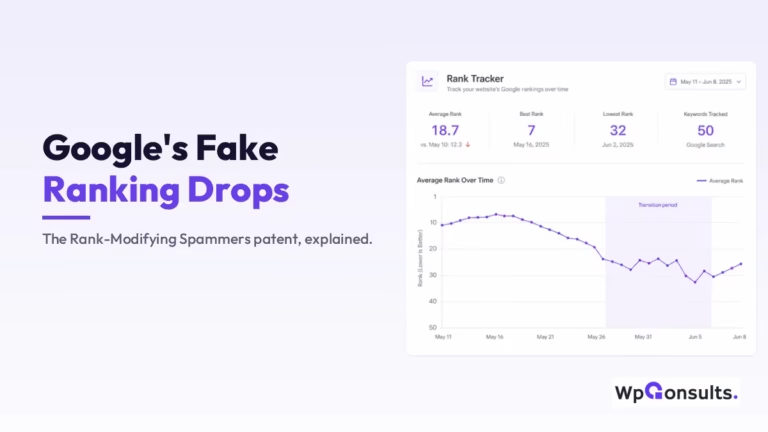
Monitoring where your pages sit for chosen keywords over time. Watch the trend, not the daily wobble; positions move constantly and single-day drops rarely mean anything.
58. Heatmaps
Visual overlays showing where visitors click, move, and how far they scroll. They expose problems analytics numbers hide, like a critical button nobody notices.
59. A/B Testing
Showing two versions of a page to different visitors and measuring which performs better. It replaces “I think this headline is better” with evidence.
60. SEO Audit
A structured health check of a site’s technical setup, content, and links to find what is holding rankings back. A good audit ends in a prioritized fix list, not a 90-page PDF of screenshots.
Content marketing terms (61-70)
61. Blogging
Publishing articles that answer what your audience searches for. It still works in 2026, but only when each post has a reason to exist beyond “we should post weekly”.
62. Content Calendar
A planned schedule of what you will publish and when. Its real job is protecting strategy from mood: topics get chosen deliberately instead of whatever feels interesting that morning.
63. Evergreen Content
Content whose usefulness does not expire, like “how to measure a room for flooring”. It compounds traffic for years, unlike news posts that spike and die.
64. Content Freshness
Keeping published content current: updating facts, prices, screenshots, and dead links. For topics where currency matters, a genuinely refreshed page often outranks a newer thin one.
65. Pillar Pages
Long, comprehensive pages covering a broad topic, which link out to detailed subtopic articles. The pillar earns the broad term while the cluster articles win the specific ones.
66. Topic Clusters
Groups of interlinked articles around one theme, with a pillar at the center. Built properly from a topical map, clusters signal genuine depth on a subject rather than one lucky post.
67. Content Gap Analysis
Finding topics your audience searches for that neither you nor your competitors cover well. Gaps are where a smaller site can genuinely beat bigger ones.
68. Content Syndication
Republishing your content on other platforms to reach their audience. Do it with canonical tags or clear attribution, or the republished copy can outrank your original.
69. User-Generated Content
Content your users create: reviews, comments, forum posts, Q&A. It adds fresh, real-language content at scale, which is why review sections often rank for questions you never wrote about.
70. Content Pruning
Removing, merging, or noindexing weak old content that adds nothing. A leaner site of strong pages usually performs better than the same site dragging hundreds of dead posts behind it.
Google algorithm and SERP feature terms (71-80)
71. Core Update
Google’s broad, periodic ranking updates that reassess content quality across the web. Sites rise and fall without doing anything “wrong”; the response is improving quality, not chasing a single fix.
72. Helpful Content System
Google’s site-wide signals that reward content written for people and demote content written purely to rank. Since 2024 it runs inside the core ranking systems rather than as separate updates.
73. E-E-A-T
Experience, Expertise, Authoritativeness, Trust: the qualities Google’s quality raters look for, especially on money and health topics. It is a framework for evaluating quality, not a direct ranking score you can buy.
74. Search Quality Rater Guidelines
The manual Google gives its human quality raters, whose feedback helps evaluate algorithm changes. Raters do not affect your rankings directly, but the guidelines reveal what Google wants search to reward.
75. PageRank
Google’s original algorithm for scoring pages by the links pointing at them. The public toolbar score is long gone, but link-based authority remains a living part of ranking.
76. Knowledge Graph
Google’s database of entities (people, places, brands) and how they relate. It powers the info boxes in search and increasingly how Google understands your brand at all.
77. Knowledge Panel
The information box on the right of results for a known entity, drawn from the Knowledge Graph. You cannot buy one; it appears when Google is confident about who or what you are.
78. Featured Snippet
The highlighted answer box above the normal results, pulled from a ranking page. Clear, direct answers under well-named headings are what win it.
79. People Also Ask
The expandable question boxes in results. Each is a real query you can answer with a section of your content, which makes PAA a free research tool hiding in plain sight.
80. Spam Updates
Google’s targeted updates against manipulative tactics: link schemes, scaled junk content, expired-domain abuse. If a tactic’s whole appeal is “Google hasn’t caught it yet”, a spam update is its expiry date.
eCommerce SEO terms (81-90)
81. Product Page Optimization
Making each product page rank and convert: unique descriptions, real photos, reviews, clear pricing and availability. Copy-pasted manufacturer descriptions are the most common failure here.
82. Category (Collection) Page Optimization
Optimizing the pages that group your products, because these are what rank for the commercial terms buyers actually search, like “cold plunge tubs”. Most stores pour everything into products and blog posts and leave the category pages bare, which is honestly a big loss.
83. Product Schema
Structured data describing a product’s price, availability, and ratings. It powers the rich results (stars, price) that make a listing stand out, and it feeds the product data AI shopping surfaces read.
84. Faceted Navigation
The filters on category pages (size, color, price) that generate URL combinations. Left uncontrolled, they spawn thousands of near-duplicate URLs that waste crawling and index the wrong pages.
85. Product Reviews and Ratings
Customer feedback on product pages. Beyond persuasion, reviews add unique content to otherwise similar pages and feed the star ratings shown in search.
86. GTIN and Product Identifiers
The barcode-level IDs (GTIN, MPN, brand) that uniquely identify a product. Search engines and shopping feeds use them to match your listing to the right product, so missing IDs mean missed placements.
87. Product Feed (Merchant Center)
The structured file of your catalog submitted to Google Merchant Center. It powers free product listings and Shopping placements, and it is fast becoming a ranking surface in its own right.
88. Out-of-Stock Handling
What happens to a product URL when the item sells out. Keep pages for returning stock, redirect permanently discontinued items to the closest alternative, and never mass-delete to 404s.
89. Internal Linking for eCommerce
Deliberately linking from guides and blog posts down to categories and products, and between related products. It moves authority to the pages that make money instead of leaving it pooled in the blog.
90. eCommerce SEO Audit
A store-specific audit covering the issues normal sites do not have: faceted URLs, duplicate collections, thin product pages, feed health. Store audits live and die on these, not on meta descriptions.
AI and modern search terms (91-100)
91. AI Overviews
Google’s AI-generated answers at the top of many results, assembled from multiple sources with links. They answer some queries before anyone clicks, which is reshaping how much traffic informational rankings deliver.
92. Generative Engine Optimization (GEO)
Optimizing to be cited by AI systems like ChatGPT, Gemini, and AI Overviews. The practical work overlaps heavily with good SEO: clear structure, direct answers, and a brand the models recognize.
93. Answer Engine Optimization (AEO)
Structuring content so it can be lifted as a direct answer: question-shaped headings, the answer in the first sentences, self-contained sections. This page is written that way on purpose.
94. LLM (Large Language Model)
The AI technology behind ChatGPT, Claude, and Gemini: models trained on huge amounts of text to generate answers. They are why “being the source an AI quotes” is now an SEO goal.
95. Zero-Click Search
A search that ends without a click, because the answer appeared on the results page itself. It makes brand visibility inside the SERP matter, not just the click.
96. Voice Search
Spoken queries through assistants. Optimization is not a separate discipline; the same conversational, question-answering content that wins featured snippets serves voice results too.
97. Entity
A distinct thing Google can identify: a person, brand, product, or place. Modern search thinks in entities and their relationships more than in keyword strings, which is why consistent brand information everywhere pays off.
98. Semantic SEO
Optimizing for meaning and topic coverage rather than exact keyword matches: covering the questions, subtopics, and entities a subject genuinely involves. It is what replaced the old sprinkle-the-keyword approach.
99. Structured Data
Machine-readable markup (schema.org, usually as JSON-LD) that labels what your content is: an article, a product, a business, an FAQ. It removes guesswork for search engines and earns rich results.
100. llms.txt
A proposed file that would give AI crawlers a curated guide to your site, similar in spirit to robots.txt. Worth knowing the name, but be aware it is a proposal; Google has not adopted it, so treat any “llms.txt is essential” claim with suspicion.
So, which of these 100 SEO terms should a beginner learn first?
In my view, start with the vocabulary of how search actually works: crawling, indexing, search intent, title tags, and backlinks. Those five concepts carry most conversations you will have with any SEO, and everything else in this list hangs off them.
And keep your guard up about the myths, because they persist precisely because they sound technical: nobody ranks by hitting a keyword density, and no tool sells real “LSI keywords”. The terms worth your time are the ones tied to how Google says its systems work, not the ones tied to what a tool is trying to sell you.
Met a term this glossary did not cover?
Don’t hesitate to contact us or email me and I will explain it in plain English. Knowing what the words mean is half of not getting sold snake oil.
Update Logs
03 Jul 2026
- Fully refreshed the glossary for 2026: retired dated entries like old algorithm updates, added a new AI-search section (AI Overviews, GEO, entities), corrected the LSI-keywords and keyword-density myths, and renamed Google My Business to Google Business Profile throughout.
Want our posts to show up more often on Google?
One step & Google will surface this site in your Top Stories.