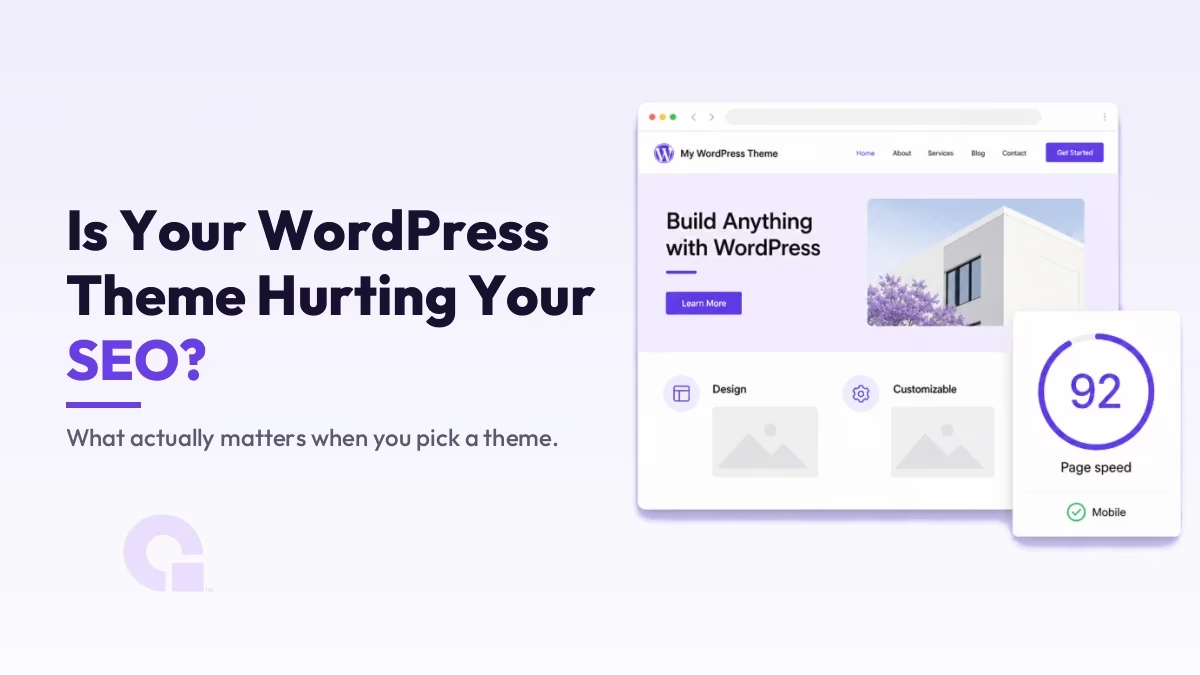
Your theme decides how fast your pages load, how clean the underlying code is, and how your content is structured for search engines, and all three of those feed directly into rankings. So yes, a bad WordPress theme can hurt your SEO, but the design you see is the smallest part of it.
In this guide I will walk through how a theme actually affects WordPress theme SEO, where its impact is real and where it is overblamed, and the practical way I judge whether a theme is worth building on.
Key Takeaways
- A theme mostly affects SEO through speed, code quality, mobile rendering, and the HTML structure it outputs, not its looks.
- The biggest real cost of a heavy theme is page speed, which feeds into Core Web Vitals and the user experience Google measures.
- Test a theme before you commit: run its live demo through PageSpeed Insights and Lighthouse, on mobile, not just the homepage.
- Lightweight, well-coded themes like GeneratePress, Kadence, Astra, or Blocksy are safer bets than bloated multipurpose themes that bundle everything.
- Your theme is not the whole story; content, hosting, and plugins usually move rankings more, so do not blame the theme for everything.
Can a theme really hurt your SEO?
It can, but not in the way most people imagine. There is no ranking factor called “theme quality” that Google scores directly. What happens is that a poorly built theme damages the things Google does measure: how quickly the page becomes usable, whether it works on a phone, and how readable your HTML is to a crawler.
So the theme is an indirect factor, and that distinction matters. A fast, clean theme will not rank a thin page, and a heavy theme will not sink genuinely great content overnight. But the heavy theme makes everything harder, because you are constantly fighting the load time and the clutter it adds. That is the honest framing: the theme sets your starting position, it does not decide the race.
How a theme actually affects your rankings
Four mechanisms do almost all of the work here, and it helps to see them separately so you know what you are actually fixing.
Speed and Core Web Vitals
This is where a theme does the most damage. Themes that load several stylesheets, multiple fonts, a slider library, and a page builder on every page push your load time up and your Core Web Vitals down. Largest Contentful Paint and interaction responsiveness both suffer when the browser has to parse a pile of theme code before it can show anything useful.
Clean code and HTML structure
A well-built theme outputs semantic HTML, one logical H1, a sensible heading order, and tidy markup a crawler can follow. Bloated themes often nest your content in layers of divs and inline styles, which does not break crawling outright but makes the page heavier and the structure muddier than it needs to be. Clean structure also helps the newer AI search systems parse your content, which matters more every year.
Mobile rendering
Google indexes the mobile version of your site first, so a theme that renders badly on phones is a real problem. Worth knowing: Google retired its standalone Mobile-Friendly Test in December 2023 and now points you to Lighthouse instead, so that is the tool to reach for when you check how a theme behaves on mobile.
Schema and meta output
Some themes add article or breadcrumb schema natively, which is a small bonus. But I would not pick a theme for this, because an SEO plugin like Rank Math handles your meta titles, descriptions, and schema markup cleanly regardless of which theme you run. Lean on the plugin for that layer and let the theme focus on rendering well.
How to choose an SEO-friendly theme
The mistake I see is people judging a theme by its demo screenshots. Judge it by how it performs and how it is built instead. Here is the short checklist I actually use:
- Test the live demo, not the marketing page. Run a demo inner page (not just the homepage) through PageSpeed Insights and Lighthouse on mobile. If the theme’s own demo is slow, yours will be slower once you add content and plugins.
- Favor lightweight, focused themes. GeneratePress, Kadence, Astra, and Blocksy are built lean and load fast; bloated multipurpose themes that bundle sliders, portfolios, and a page builder into one package are the usual culprits behind slow sites.
- Buy from a maintained source. A theme that ships regular updates stays compatible with WordPress and your plugins, and patches security holes. An abandoned theme becomes a liability, and a compromised site is an SEO problem of its own.
- Match features to need. Pick the theme with the features you will actually use; every unused slider or widget is weight you carry on every page load.
If you want to customize a solid theme without losing your changes on the next update, do it through a child theme rather than editing the parent files directly.
Where the theme is not your problem
It is worth keeping perspective, because blaming the theme for everything is its own mistake. In most audits I run, the bigger levers are the content itself, the hosting, and the plugin stack. A fast theme on slow, oversold shared hosting will still feel sluggish, and a clean theme cannot rescue thin or duplicated content.
So treat the theme as the foundation you build on: get it right once, then spend most of your energy on content, a reliable host, and a lean set of plugins. Those are where the rankings actually come from.
Common mistakes to avoid
- Choosing a multipurpose theme for one site. You inherit the weight of features you will never switch on.
- Stacking a heavy page builder on a heavy theme. The two together are the most common cause of slow WordPress sites I see.
- Testing only the homepage. Your blog posts and product pages are what rank, so test those page types, on mobile.
- Switching themes constantly chasing speed. A migration carries its own risk; fix the real bottleneck (often hosting or images) before you blame the theme.
So, is your theme hurting your SEO?
In my view, for most sites the theme is a real but modest factor, and it is worth getting right once rather than obsessing over. If your theme is a lean, well-maintained one and your pages pass Core Web Vitals on mobile, your theme is almost certainly not what is holding you back, and you should look at content and hosting next.
But if you are running a bloated multipurpose theme with a page builder stacked on top and your load times are poor, then yes, the theme is genuinely costing you, and moving to something lightweight is one of the higher-leverage fixes you can make. Choose for speed and clean code, not the prettiest demo, and you have removed the theme from your list of SEO worries.
Not sure if your theme is the problem?
If your site feels slow and you cannot tell whether it is the theme, the host, or the plugins, work with us or email me and I will tell you where the real bottleneck is before you change anything.
Update Logs
29 Jun 2026
- Rewritten to separate where a theme genuinely affects SEO from where it gets overblamed, with a real testing checklist, named lightweight themes, and an updated note that Google retired the Mobile-Friendly Test in favor of Lighthouse.
Want our posts to show up more often on Google?
One step & Google will surface this site in your Top Stories.