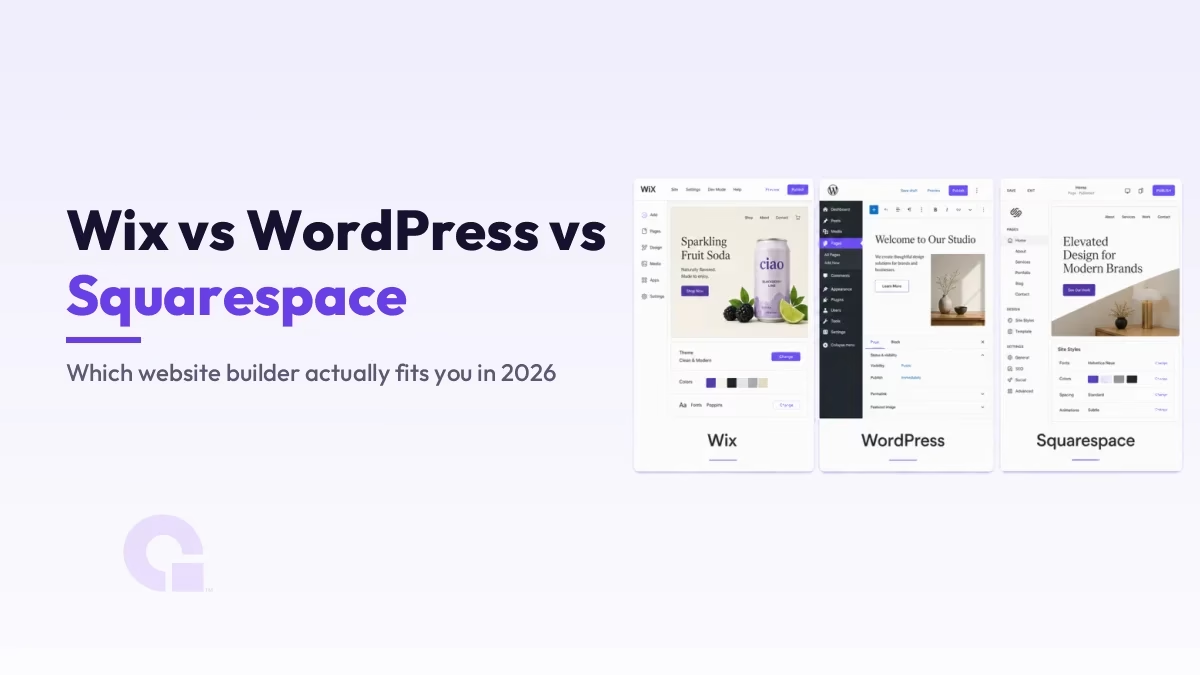
Si vous hésitez entre Wix, WordPress et Squarespace, la vraie question n'est pas de savoir lequel est le meilleur dans l'absolu, mais lequel correspond le mieux à la façon dont vous souhaitez gérer votre site. Wix et Squarespace vous proposent un éditeur tout-en-un hébergé, tandis que WordPress vous donne les clés et le contrôle total.
Ma réponse en bref : si vous souhaitez être propriétaire de votre site et assurer son référencement à long terme, je vous conseille WordPress. Mais Wix et Squarespace ont chacun leur place pour certains profils, et je vais vous montrer ci-dessous en quoi chacun d'entre eux se démarque.
Principaux enseignements
- WordPress héberge toujours environ 41,91 TP3T de l'ensemble des sites web (W3Techs, mai 2026), tandis que Wix se situe autour de 4,31 TP3T et Squarespace autour de 2,51 TP3T ; on a donc ici un géant et deux spécialistes plus modestes, mais bien implantés.
- Wix C'est la solution la plus simple pour débuter : un véritable « glisser-déposer », sans rien à héberger ni à mettre à jour soi-même.
- Squarespace Il se distingue par son design soigné dès son installation, ce qui convient parfaitement aux portfolios et aux sites de marque épurés.
- WordPress offre le plus de contrôle et le meilleur potentiel de référencement naturel (SEO) à long terme, mais c'est à vous de gérer l'hébergement, les mises à jour et la sécurité.
- Le coût est plus proche qu'il n'y paraît : Wix et Squarespace incluent l'hébergement dans leur forfait, tandis que WordPress est un logiciel libre dont l'hébergement se paie séparément.
- Si vous envisagez de développer votre activité, de vendre vos produits ou d'améliorer sérieusement votre référencement, le contrôle que vous offre WordPress est difficile à remplacer par la suite.
Constructeurs hébergés ou auto-hébergés : le choix qui fait toute la différence
Avant de comparer les fonctionnalités, il faut bien comprendre la différence fondamentale qui sous-tend toutes les autres. Wix et Squarespace sont des plateformes hébergées et fermées : vous vous inscrivez, vous créez votre site dans leur éditeur, et ce sont eux qui gèrent les serveurs, la sécurité et les mises à jour à votre place. Vous n’avez jamais à vous occuper de l’infrastructure technique, mais vous ne pouvez pas non plus emporter votre site avec vous si vous devenez trop grand pour ces plateformes.
Dans ce contexte, « WordPress » désigne une installation auto-hébergée WordPress.org, le logiciel libre que vous installez sur votre propre hébergement avec votre propre nom de domaine. Vous êtes le seul propriétaire de votre installation ; vous en avez donc le contrôle total, mais c'est également à vous qu'incombe la maintenance. Comparez cela à la location d'un appartement avec services inclus par rapport à l'achat d'une maison : l'une est plus simple au quotidien, l'autre vous appartient et vous pouvez la modifier comme bon vous semble.
À qui s'adresse Wix ?
Wix C'est la solution la plus intuitive des trois. L'éditeur fonctionne véritablement par glisser-déposer : vous pouvez ainsi placer les éléments exactement où vous le souhaitez sur la page. Il propose des centaines de modèles, ainsi qu'une boutique d'applications pour des fonctionnalités supplémentaires telles que la réservation ou une petite boutique en ligne. Pour un débutant qui souhaite mettre en ligne un site épuré dès ce week-end sans avoir à apprendre quoi que ce soit de technique, c'est difficile de trouver mieux.
Le véritable inconvénient, c'est le « lock-in ». Une fois votre site publié, vous ne pouvez plus changer librement de modèle, et il n'existe aucun moyen simple d'exporter votre site vers une autre plateforme par la suite ; ce que vous créez sur Wix reste donc généralement sur Wix. Pour une simple page d'entreprise locale ou un portfolio, cela ne pose pas de problème ; mais pour un projet que vous comptez développer et optimiser pour les moteurs de recherche, cette limite a son importance.
À quoi sert Squarespace ?
Squarespace est le choix idéal pour ceux qui privilégient le design. Il propose moins de modèles que Wix, mais ceux-ci sont tous soignés, adaptés aux appareils mobiles et vraiment esthétiques dès leur installation, ce qui explique pourquoi les créatifs, les photographes, les restaurants et les petites marques de produits s'y tournent. Si vous recherchez un résultat professionnel sans avoir à vous soucier du design, c'est la solution la plus simple.
Il s'agit toutefois toujours d'un « jardin clos ». On y trouve moins d'intégrations tierces que sur WordPress, moins de liberté de personnalisation au-delà de ce que permettent les modèles, et la même restriction que sur Wix : impossible d'emporter ses données avec soi. Squarespace privilégie l'esthétique au détriment de la flexibilité, mais pour certains utilisateurs, c'est un compromis acceptable.
Le rôle de WordPress
WordPress est la solution vers laquelle je me tourne lorsque le contrôle et la pérennité sont essentiels. Comme il s’agit d’un logiciel libre doté d’un vaste écosystème de plugins, vous pouvez y créer pratiquement tout ce que vous voulez, d’un simple blog à une boutique en ligne complète, et vous en êtes entièrement propriétaire. Il offre également le contrôle le plus poussé en matière de référencement naturel (SEO) parmi les trois, avec une maîtrise totale des titres, du schéma de données, des redirections et de la structure du site, plutôt que de se limiter à ce que le constructeur décide de mettre à disposition. La majeure partie de ce contrôle s’effectue via un plugin SEO dédié tel que Rang Math.
En contrepartie, cela demande un réel travail. Vous devez vous occuper vous-même de l'hébergement, des mises à jour, des sauvegardes et de la sécurité ; il y a donc davantage à gérer qu'avec un créateur de site hébergé. Cela commence par le choix d'un hébergeur fiable ; pour la plupart des gens, une option rapide et abordable comme Hostinger C'est déjà bien pour commencer, et vous pouvez consulter l'intégralité de mes recommandations dans ce guide consacré à la meilleur hébergement web pour les petites entreprises. La mise à l'échelle est d'ailleurs rarement le frein que l'on craint, comme je l'ai expliqué dans l'article intitulé « Est-ce que… » WordPress peut gérer un million de visites.
Comparaison réelle des tarifs
La tarification semble simple sur Wix et Squarespace, car l'hébergement est inclus dans la formule, tandis qu'elle peut paraître déroutante sur WordPress, où ce n'est pas le cas. Le logiciel WordPress est gratuit ; ce que vous payez, c'est l'hébergement ainsi que les thèmes ou plugins premium que vous choisissez. C'est cette distinction qui explique pourquoi un site WordPress peut être l'option la moins chère ou représenter un investissement plus important, selon l'hébergeur que vous choisissez.
| Plateforme | Plan d'accès | Niveaux supérieurs | Ce pour quoi vous payez |
|---|---|---|---|
| Wix | Formule gratuite, puis environ 1 TP4T17/mois (Light) | Core ~$29, Business ~$39, Business Elite ~$159/mois | Créateur de site et hébergement, le tout dans une seule offre |
| Squarespace | Environ $16/mo (de base) | Niveau de base : environ $23, Niveau intermédiaire : environ $39, Niveau avancé : environ $99/mois | Outil de création de sites + hébergement, pas de formule gratuite |
| WordPress.org | Logiciels gratuits ; hébergement économique à partir de quelques dollars par mois | S'adapte à votre hébergement et à vos options premium | Hébergement et thèmes/plugins en option, facturés séparément |
Les chiffres ci-dessus correspondent à des tarifs annuels et sont susceptibles d'évoluer au fil du temps ; il convient donc de les considérer comme une indication plutôt que comme une vérité absolue. La tendance reste toutefois constante : les plateformes de création de sites hébergées facturent un forfait mensuel prévisible qui augmente progressivement à mesure que vous avez besoin de fonctionnalités de commerce électronique ou d'un espace de stockage supplémentaire, tandis que WordPress vous permet de maîtriser vos dépenses en choisissant vous-même votre hébergeur.
La part de marché et pourquoi elle est importante pour vous
La part de marché ne constitue pas à elle seule un critère suffisant pour choisir une plateforme, mais elle donne néanmoins des indications sur son écosystème et sa pérennité. Selon W3Techs, En mai 2026, WordPress alimentait environ 41,91 TP3T de l'ensemble des sites web, Wix avoisinant les 4,31 TP3T et Squarespace les 2,51 TP3T.
Cet écart ne concerne pas la qualité, mais la portée. Une plateforme aussi largement utilisée signifie davantage de développeurs, davantage de thèmes et de plugins, davantage de tutoriels, et davantage de personnes capables de vous aider lorsque vous êtes bloqué, ce qui constitue exactement le genre de filet de sécurité qui s'avère payant à long terme. Wix et Squarespace sont des entreprises plus modestes, mais toutes deux sont stables et disposent de solides ressources financières ; vous ne misez donc pas sur une structure vouée à disparaître.
Comparaison rapide côte à côte
| Facteur | Wix | WordPress | Squarespace |
|---|---|---|---|
| Facilité d'utilisation | C'est très simple : il suffit de glisser-déposer | Modéré, un peu d'apprentissage | Simple, par sections |
| Flexibilité de conception | Bien, dans les modèles | Le plus haut, entièrement personnalisable | Plus abouti, mais plus limité |
| Gestion du référencement naturel | Pas mal, mais limité | Le plus poussé des trois | Bien, moins détaillé |
| Hébergement et maintenance | C'est fait pour vous | C'est à toi de t'en occuper | C'est fait pour vous |
| Idéal pour | Débutants, sites simples | Croissance, magasins, référencement naturel (SEO) sérieux | Marques axées sur le design, portefeuilles |
Alors, lequel devriez-vous choisir au final ?
Honnêtement, pour la plupart des personnes qui lisent cet article, je recommanderais de créer son site avec WordPress, car le contrôle qu’il vous offre sur le design, le référencement et la croissance est un atout que vous ne pourrez plus rattraper par la suite, une fois que votre site aura pris de l’importance. Certes, cela demande un peu plus d’efforts au départ, mais un hébergeur adapté aux débutants et un bon thème vous épargnent la plupart de ces difficultés dès le premier jour.
Les exceptions sont claires, et je ne veux pas vous en dissuader. Si vous souhaitez démarrer de la manière la plus simple possible pour un petit site et que vous ne comptez pas vous investir à fond dans le référencement, Wix est l'option la plus accessible. Si le raffinement du design est votre priorité absolue et que vous souhaitez un site magnifique sans vous compliquer la vie, Squarespace est une excellente solution. Ces trois outils sont tous de bonne qualité ; le bon choix est simplement celui qui correspond à l'orientation future de votre site, et pas seulement à sa situation actuelle.
Vous ne savez toujours pas quelle plateforme vous convient le mieux ?
Si vous souhaitez obtenir un deuxième avis avant de vous engager, travailler avec nous ou m'envoyer un courriel et je vous orienterai vers la plateforme qui correspond à vos objectifs et à votre budget. Faire le bon choix dès maintenant vous évitera une refonte fastidieuse plus tard.
Journal des mises à jour
1er juillet 2026
- Mise à jour pour 2026 avec les chiffres actuels des parts de marché, les tarifs actualisés de Wix et Squarespace, ainsi qu'une analyse plus précise permettant de déterminer à qui chaque plateforme convient réellement.
Vous souhaitez que nos publications apparaissent plus souvent sur Google ?
En un clic, Google affichera ce site dans votre rubrique « À la une ».