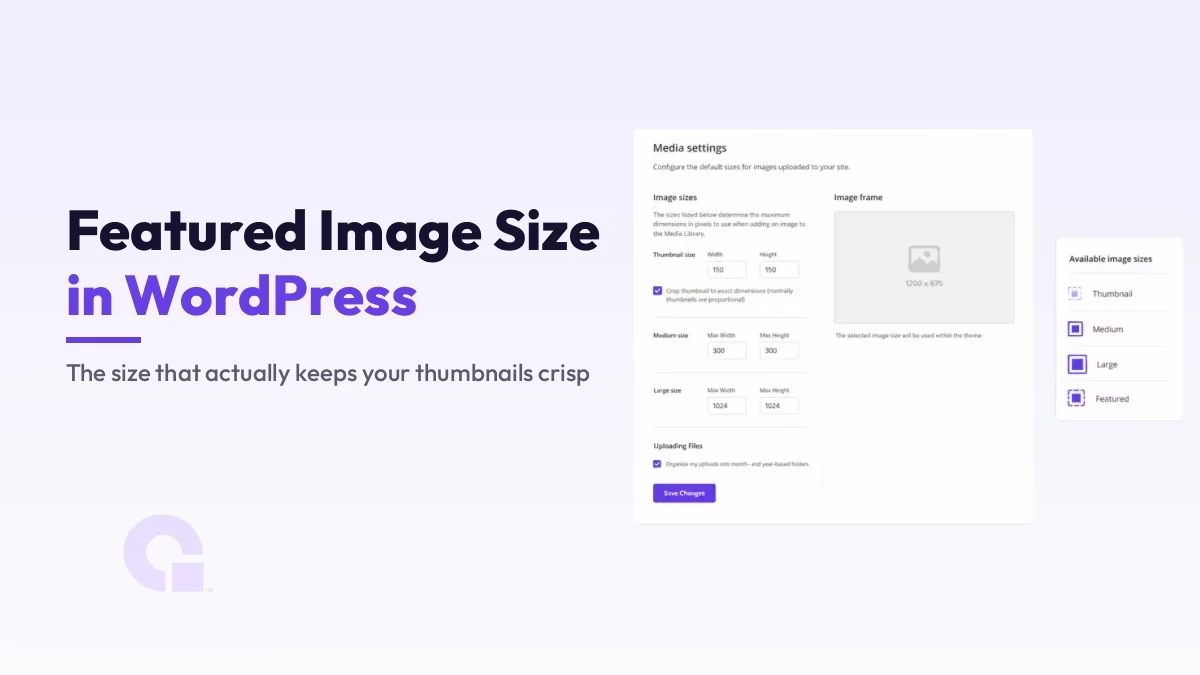
Wenn Sie auf der Suche nach der einzig richtigen Größe für das Titelbild in WordPress sind, hier gleich die ehrliche Antwort: Es gibt keine einheitliche „Zauberzahl“, denn die Größe, in der Ihr Bild tatsächlich angezeigt wird, hängt von Ihrem Theme ab, nicht von WordPress selbst.
Das klingt vielleicht etwas unkonkret, daher möchte ich es etwas konkreter formulieren. Für fast jede Website gilt: Ein sicheres Bild zum Hochladen ist 1200 Pixel breit im Seitenverhältnis 16:9 (1200 × 675), hochauflösend, aber komprimiert. Im Folgenden werde ich erläutern, warum das funktioniert und wann Sie eine andere Größe wählen sollten.
Wichtigste Erkenntnisse
- Es gibt keine festgelegte Größe für das Vorschaubild in WordPress; Dein Theme legt die Anzeigeabmessungen fest, daher können zwei Themes denselben Upload unterschiedlich darstellen.
- Ein sicherer Upload hat eine Breite von 1200 px im Seitenverhältnis 16:9 (1200 × 675). Auf Bildschirmen mit hoher Pixeldichte sieht es scharf aus und lässt sich sauber herunterskalieren.
- Die Das Seitenverhältnis ist wichtiger als die genaue Pixelanzahl., da das Theme Ihr Bild auf sein eigenes Seitenverhältnis zuschneidet, falls dieses nicht übereinstimmt.
- WordPress generiert automatisch mehrere Bildgrößen (Miniaturansicht, mittel, groß) aus Ihrer hochgeladenen Datei; das Theme entscheidet, welche davon angezeigt wird.
- Halte die Datei klein, idealerweise als WebP mit einer Größe von unter etwa 200 KB, damit ein großes Titelbild deine Seite nicht verlangsamt. Core Web Vitals.
- Die Maße 1200 × 630, die man überall sieht, beziehen sich auf die Größe für die Weitergabe in sozialen Netzwerken (Open Graph) und sind eine von der Darstellung auf der Seite getrennte Einstellung.
Warum es keine einheitliche Größe für das Titelbild gibt
WordPress schreibt keine bestimmte Größe für das Beitragsbild vor. Stattdessen legt jedes Theme die gewünschten Abmessungen mithilfe von Funktionen wie set_post_thumbnail_size() und add_image_size(), worüber Sie im WordPress-Entwicklerdokumentation. Die “richtige” Größe ist also eigentlich die, die Ihr aktuell aktives Theme vorschreibt.
Aus diesem Grund kann dasselbe Bild bei einem Theme perfekt aussehen, bei einem anderen hingegen unpassend beschnitten. Ein Theme zeigt vielleicht Ausgewählte Bilder als breite Banner im 16:9-Format an, während ein anderes hohe Karten im Hochformat verwendet – und jedes Theme schneidet Ihr hochgeladenes Bild so zu, dass es in seinen eigenen Rahmen passt. Wenn Sie das von vornherein wissen, vermeiden Sie es, dem Bild die Schuld zu geben, wenn eigentlich das Theme für den Zuschnitt verantwortlich ist.
Die sichere Dateigröße zum Hochladen
Für eine Standardgröße, über die Sie sich kaum noch Gedanken machen müssen, laden Sie ein Bild mit einer Breite von 1200 Pixeln im Seitenverhältnis 16:9 hoch, also 1200 × 675. Das ist groß genug, um auf Retina- und 4K-Bildschirmen scharf zu bleiben, und da das Bild größer ist als bei den meisten Themes angezeigt wird, kann WordPress es verkleinern, ohne dass es jemals unscharf wirkt.
| Anwendungsfall | Empfohlene Größe | Verhältnis |
|---|---|---|
| Allgemeines Titelbild für den Blog | 1200 × 675 | 16:9 |
| Dient gleichzeitig als Bild zum Teilen in sozialen Netzwerken | 1200 × 630 | ~1.91:1 |
| Hero-Header in voller Breite | 1920 × 1080 oder größer | 16:9 |
| Themen im Hochformat oder im Kartenformat | Passen Sie das Seitenverhältnis des Themas an (z. B. 1200 × 1500) | 4:5 |
Wenn Sie möchten, dass Ihr Titelbild gleichzeitig als Vorschaubild dient, das die Nutzer sehen, wenn der Beitrag geteilt wird, ist eine Größe von 1200 × 630 bei einem Seitenverhältnis von etwa 1,91:1 ideal, da dies dem Seitenverhältnis bei der Weitergabe in sozialen Netzwerken sehr nahe kommt und auf der Seite dennoch gut aussieht.
Warum das Seitenverhältnis wichtiger ist als die genaue Pixelanzahl
Die häufigste Beschwerde bezüglich der Beitragsbilder betrifft nicht Unschärfe, sondern einen schlechten Bildausschnitt – und das liegt fast immer an einem nicht passenden Seitenverhältnis. Wenn Ihr Theme ein Seitenverhältnis von 16:9 vorsieht und Sie ein quadratisches Foto hochladen, schneidet WordPress den oberen und unteren Rand hart ab, damit das Bild passt. Dabei können Köpfe, Logos oder Text abgeschnitten werden.
Bevor du dich also zu sehr auf exakte Pixelwerte versteifst, schau dir die Form an, die dein Theme verwendet, und passe dich daran an. Achte außerdem darauf, den wichtigsten Teil des Bildes in der Mitte zu platzieren, denn dieser Bereich bleibt am ehesten erhalten, egal wie das Theme das Bild zuschneidet.
Die Bildgrößen, die WordPress automatisch erstellt
Wenn Sie ein Bild hochladen, speichert WordPress nicht nur diese eine Datei. Es generiert mehrere Versionen, damit an der richtigen Stelle die passende Version angezeigt werden kann. Die Standardgrößen sind „Thumbnail“ (150 × 150), „Medium“ (bis zu 300 × 300), mittelgroß (768 Pixel breit) und groß (bis zu 1024 × 1024).
Ihr Theme entscheidet dann, welche dieser generierten Größen als Beitragsbild angezeigt werden soll, oder legt eine eigene benutzerdefinierte Größe fest. Genau das ist der Grund, warum es wichtig ist, ein Originalbild mit großzügigen Abmessungen hochzuladen: WordPress kann ein großes, scharfes Quellbild jederzeit verkleinern, aber es kann keine Details erschaffen, indem es ein kleines Bild vergrößert.
Achte darauf, dass die Datei klein bleibt und das Format stimmt
Eine große Abmessung ist in Ordnung; eine große Dateigröße hingegen nicht. Das Titelbild ist oft das größte Element, das oben in Ihrem Beitrag geladen wird. Ein zu großes Bild wirkt sich daher direkt negativ auf Ihren „Largest Contentful Paint“-Wert und die übrigen Core Web Vitals aus. Exportieren Sie es nach Möglichkeit als WebP, streben Sie eine Größe von unter etwa 200 KB an und fügen Sie immer einen aussagekräftigen Alt-Text hinzu.
Wenn Sie nicht nur die hochgeladene Datei, sondern auch die tatsächliche Größe ändern möchten, die Ihr Theme generiert, ist das eine andere Aufgabe, die ich Schritt für Schritt in So ändern Sie die Größe des Beitragsbildes in WordPress.
Was ist mit dem Bild für die Weitergabe in sozialen Netzwerken?
Die berühmte Zahl 1200 mal 630 ist die Open Graph Bildgröße: Das Vorschaubild, das angezeigt wird, wenn Ihr Beitrag auf sozialen Plattformen geteilt wird. Diese Einstellung erfolgt unabhängig vom „Featured Image“ auf der Seite, in der Regel durch Ihr SEO-Plugin. Verwechseln Sie die beiden daher nicht, auch wenn oft dasselbe Bild verwendet wird.
Wie groß sollte Ihr Titelbild also eigentlich sein?
Meiner Meinung nach solltest du die Bilder mit einer Auflösung von 1200 × 675 im Format 16:9 hochladen, dieses Seitenverhältnis an die tatsächliche Darstellung deines Themes anpassen und sie dann in das WebP-Format komprimieren. Diese eine Vorgehensweise deckt die überwiegende Mehrheit der Websites ab und erspart dir die Probleme mit Bildausschnitten und Unschärfe, die die Leute überhaupt erst dazu bringen, nach einer „Zauberzahl“ zu suchen.
Die einzige Ausnahme mache ich, wenn ein Design eindeutig eine andere Form erfordert, wie zum Beispiel eine hohe Hochformat-Karte oder ein breiter, bildschirmfüllender Hero-Bereich. In diesem Fall passe ich mich dem Design an, anstatt mich dagegen zu wehren. Wenn das Seitenverhältnis und die Dateigröße stimmen, spielen die genauen Pixelwerte keine Rolle mehr.
Änderungsprotokolle
01. Juli 2026
- Überarbeitet, um die richtige Antwort zu geben: Die Größe des Beitragsbildes hängt vom Theme ab, wobei ein Upload im Format 16:9 empfehlenswert ist, sowie eine Tabelle mit den Bildgrößen und der Unterschied zwischen der Bildgröße auf der Seite und der Größe für das Teilen in sozialen Netzwerken.
Möchtest du, dass unsere Beiträge öfter bei Google erscheinen?
Ein Schritt – und Google zeigt diese Seite in Ihren „Top Stories“ an.